On this page
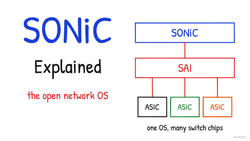
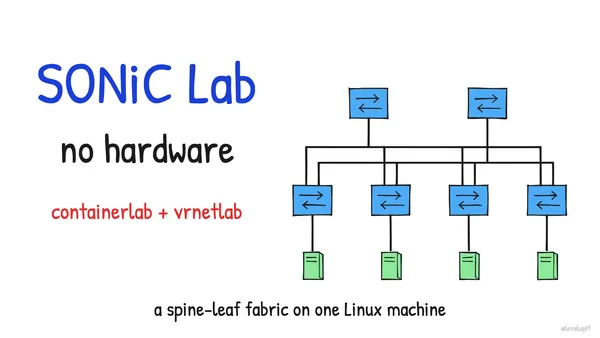
A spine-leaf fabric of SONiC switches, with hosts attached, can run on one Linux machine: no switch hardware and no cables. This post builds that lab from an empty directory with containerlab. It covers the machine it needs, the switch image, the topology file, the deployment, and the first login to a blank leaf. The switches run Enterprise SONiC 4.6.0. The same lab is then built on community SONiC, where the image is a free download and a few steps differ.
This is the written deep dive for lesson 1 of the SONiC course on the LevelUP I.T. YouTube channel. Every later lesson runs on this lab, and every output below is from the lab as the lesson built it.
What you'll find here
- The four parts of the lab: a Linux machine with KVM, a SONiC image, vrnetlab, containerlab.
- The checks to run on the machine before building anything, and the resources each switch takes.
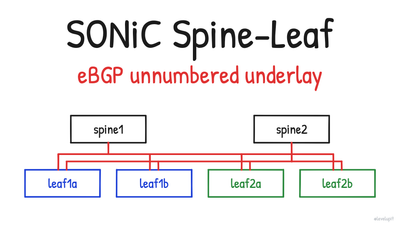
- The topology: two spines, four leaves in two racks, eight hosts attached in three different ways.
- The whole containerlab topology file, read block by block, and how a containerlab interface maps to a SONiC port.
- What happens inside a switch's container: the virtual machine, the tap interfaces, and the rule that joins a cable to a port.
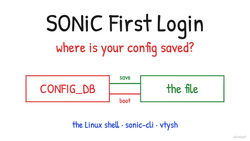
- How management reaches the switch, and what a blank Enterprise SONiC leaf looks like.
- The same lab on community SONiC 202605, and how to clear the configuration that image starts with.
This post is for paying subscribers only
Already have an account? Sign in