On this page
This is part 10 of a series on learning F5 BIG-IP Local Traffic Manager on a real data-centre fabric running on SONiC switches. Each part goes with a video on the LevelUP I.T. YouTube channel. Part 9 covered priority groups, a sorry server and OneConnect. This part gets the BIG-IP's logs and alerts off the box.
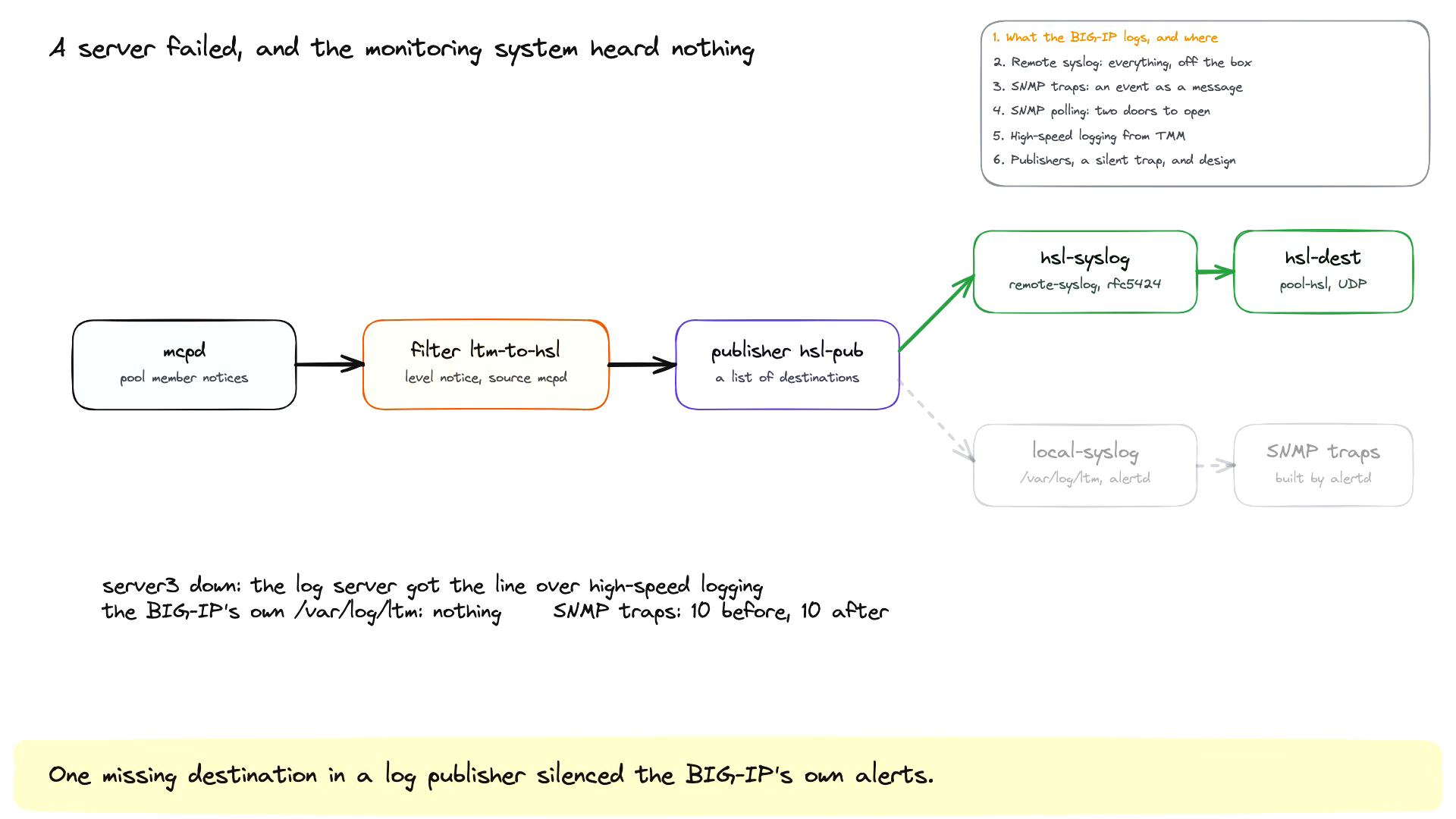
A web server failed, and the log server received the line within a second over high-speed logging. The BIG-IP's own /var/log/ltm had nothing, and the trap receiver counted ten SNMP traps before the failure and ten after. One destination was missing from a log publisher. This part builds four paths off the box (remote syslog, SNMP traps, SNMP polling and high-speed logging) and finds where that silence came from.
What you'll see
- What the BIG-IP logs, where, and how to read one line.
- Remote syslog from the web UI, and what "everything" really means.
- SNMP traps: where they come from, and the MIB files that name them.
- SNMP polling, and the two doors that both have to be open.
- High-speed request logging from TMM, and why the first line came out wrong.
- Log publishers, the silent trap, and what to send off the box.
What the BIG-IP logs
syslog-ng on the BIG-IP's Linux host writes files under /var/log: ltm for local traffic, audit for every configuration change, secure for logins, and more. A pool member failure is an mcpd notice:
notice mcpd[9386]: 01070638:5: Pool /Common/pool-web member /Common/server3:80 monitor status down. [ /Common/http-app: down; ... ]01070638 is the message ID and 5 its severity (notice). Alert on the ID: the wording can change between versions. The files are rotated on the box's own disk, so history is measured in days. Logs have to leave the box for retention, correlation with the rest of the network, survival after a crash or rebuild, and an audit trail the administrators can't edit.