
On this page
This is part 8 of a series on learning F5 BIG-IP Local Traffic Manager on a real data-centre fabric running on SONiC switches. Each part goes with a video on the LevelUP I.T. YouTube channel. Part 7 covered persistence. This part puts the BIG-IP in the middle of HTTPS: certificates from a lab certificate authority, SSL offload, and re-encryption to the servers.
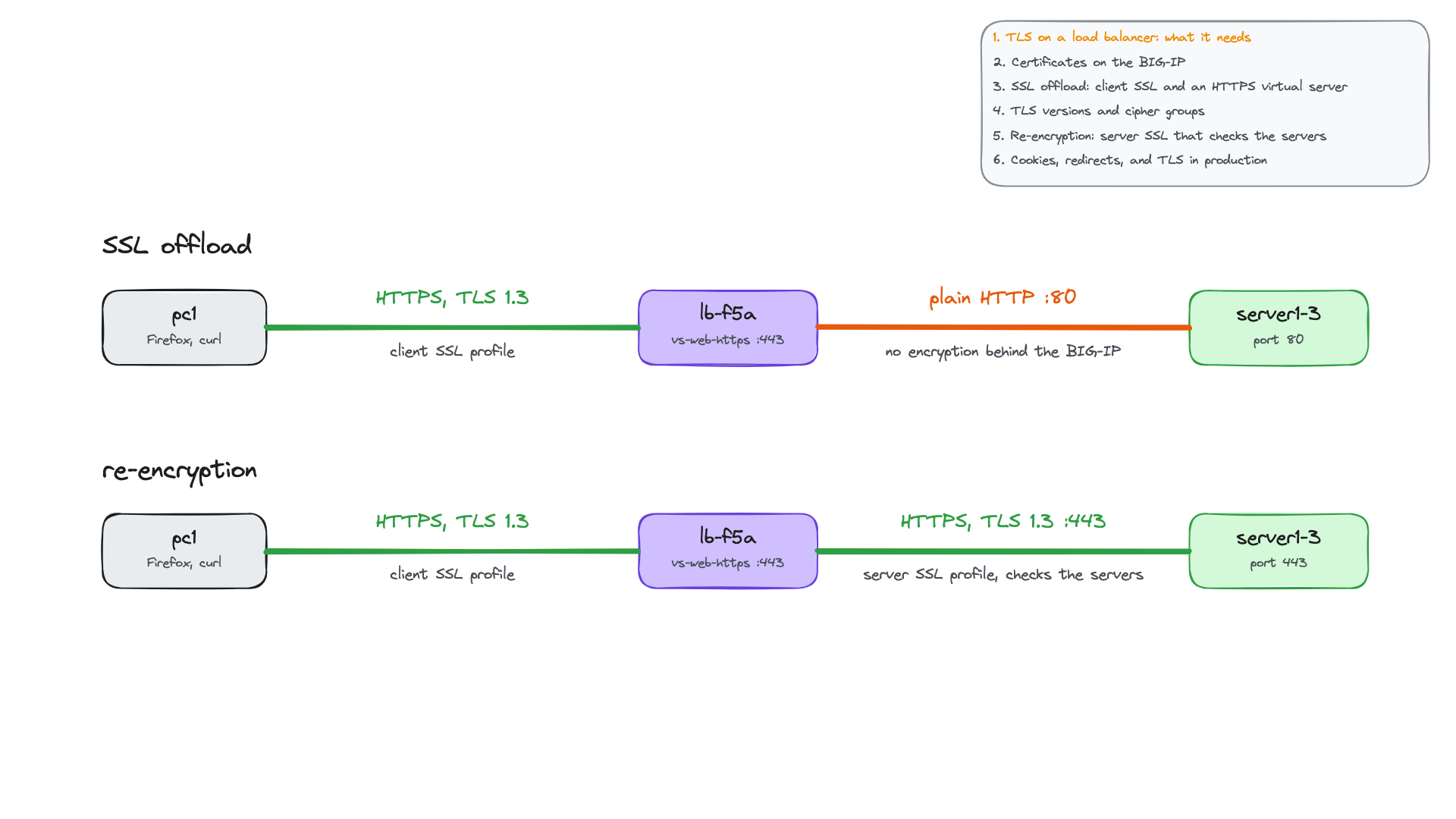
Two virtual server designs show the same padlock in the browser, with very different traffic behind the BIG-IP. With SSL offload, the BIG-IP decrypts and sends plain HTTP to the servers. With re-encryption, it decrypts, reads the request, and encrypts again to the servers' own HTTPS, checking their certificates against the lab CA. When that check was pointed at the wrong CA on purpose, every user request failed while every pool member stayed green.
What you'll see
- Why the BIG-IP decrypts at all, the TLS handshake, and the two separate TLS sessions.
- Certificates, keys and chains, the lab CA, and importing a pair in the web UI.
- A client SSL profile and an HTTPS virtual server: SSL offload, from curl and from Firefox.
- Why the first connection used TLS 1.2, and enabling TLS 1.3 with a cipher group.
- Re-encryption with a server SSL profile that validates the servers, and what happens when it can't.
- Cookie persistence over HTTPS, the HTTP to HTTPS redirect, SNI, client certificates, renewals and a design checklist.
TLS on a load balancer
The BIG-IP can only use what it can read. Cookie persistence, X-Forwarded-For, redirects and iRules all need HTTP, and inside TLS it sees nothing. On a virtual server there are two separate TLS sessions: on the client side a client SSL profile makes the BIG-IP the server, and on the server side a server SSL profile makes it the client. Each negotiates its own version, cipher and certificate.
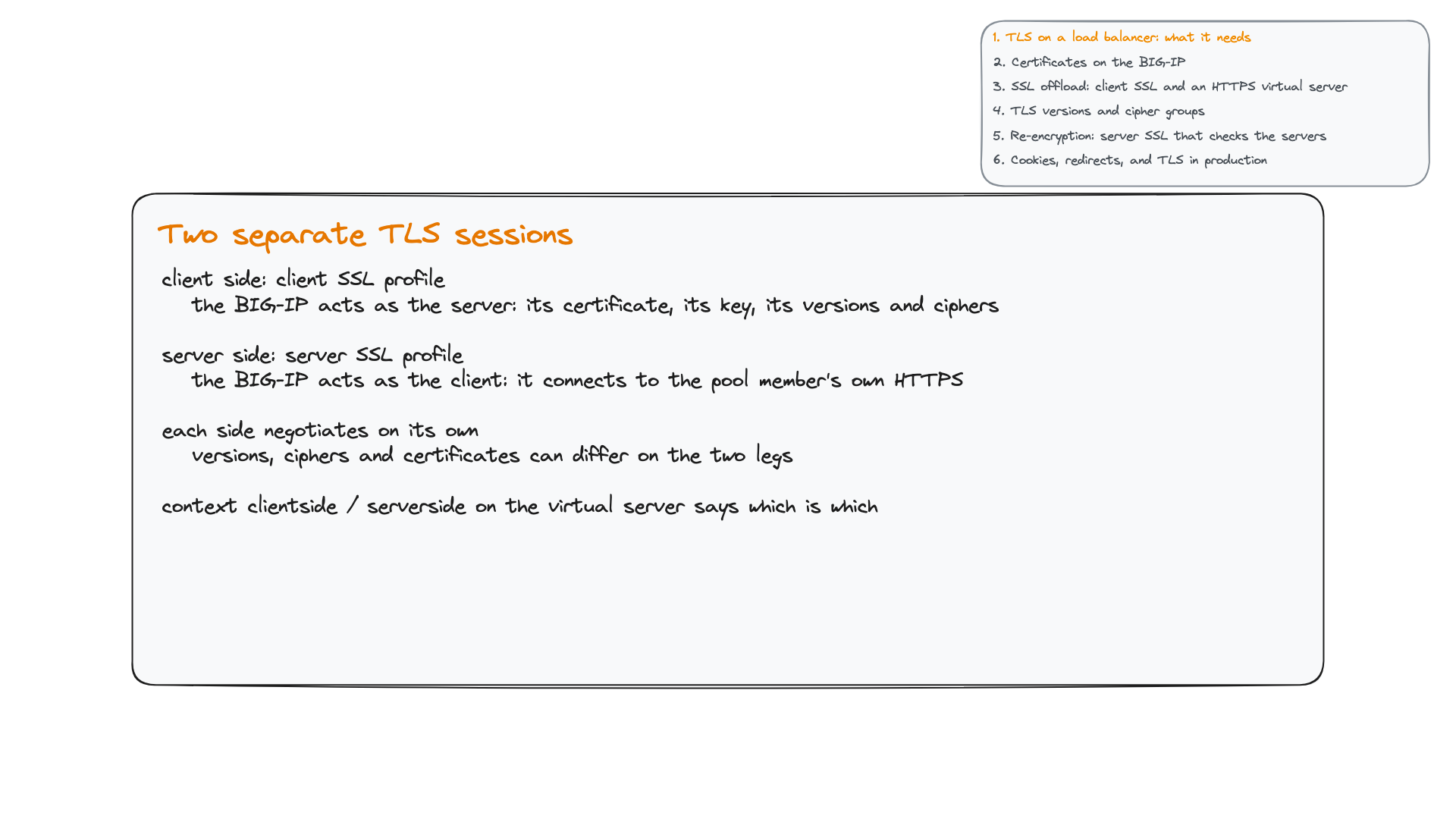
That gives three designs: pass-through (no SSL profiles, no HTTP features), SSL offload (client SSL only) and re-encryption (client SSL and server SSL).