On this page
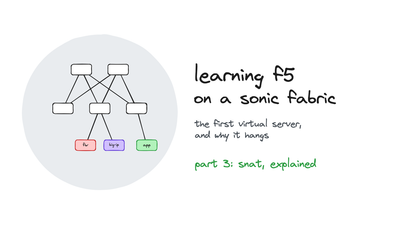
This is part 4 of a series on learning F5 BIG-IP Local Traffic Manager on a real data-centre fabric running on SONiC switches. Each part goes with a video on the LevelUP I.T. YouTube channel. Part 1 built the lab, part 2 plugged the BIG-IPs into the fabric, and part 3 built the first virtual server and fixed its return path with SNAT AutoMap.
SNAT AutoMap made the first virtual server work behind the firewall. It also erased every user: three requests from pc1 (10.10.0.11), and all three servers logged 10.20.0.240. This part takes SNAT apart. It shows exactly which address AutoMap picks and why, what that costs at scale, how a SNAT pool and a standalone SNAT work and which one wins, and how X-Forwarded-For hands the client's address back to the application without letting clients forge it.

What you'll see
- The four addresses of one proxied connection, read from the BIG-IP's own connection table.
- How AutoMap chooses its address, and why floating self IPs come first.
- The three costs of AutoMap: the logs, the ports (about 64,000 per member and port) and a shared identity.
- A SNAT pool built in the web UI, proven from the servers' ARP tables.
- A standalone SNAT (the SNAT list), and which SNAT wins when both match.
- X-Forwarded-For: inserting it, forging it, and stopping the forgery at the edge.
What AutoMap really does
A Standard virtual server always translates the destination: traffic to the VIP 10.20.30.100:80 goes to the member it picks. Source translation is optional: None, Auto Map, or a SNAT pool. I held one connection open from pc1, from source port 45010, and asked lb-f5a for it with tmsh show sys connection cs-client-addr 10.10.0.11. One record holds both connections:
10.10.0.11:45010 - 10.20.30.100:80 - 10.20.0.240:45010 - 10.20.0.12:80
TMM            2
Lasthop        /Common/external 00:00:5e:00:01:01
Server Nexthop /Common/internal aa:c1:ab:e7:af:f0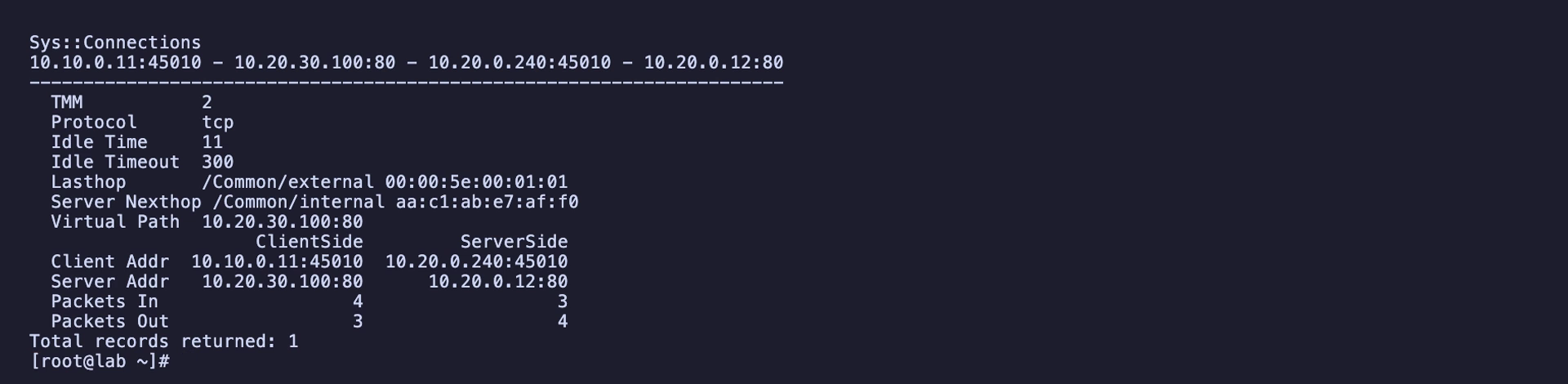
The port is 45010 on both sides because of the default source-port preserve: the BIG-IP keeps the client's port when it's free on the translation address, and picks another when it isn't. The last hop is the fabric's anycast gateway MAC (00:00:5e:00:01:01, the same on every leaf). Auto last hop, on by default, sends replies to the client straight back to that MAC without a routing lookup. The server next hop is server2's own MAC, because the member is on-link.