
On this page
This is part 3 of a series on learning F5 BIG-IP Local Traffic Manager on a real data-centre fabric running on SONiC switches. Each part goes with a video on the LevelUP I.T. YouTube channel. Part 1 built the lab and part 2 licensed the BIG-IPs and plugged them into the fabric. Now the first application.
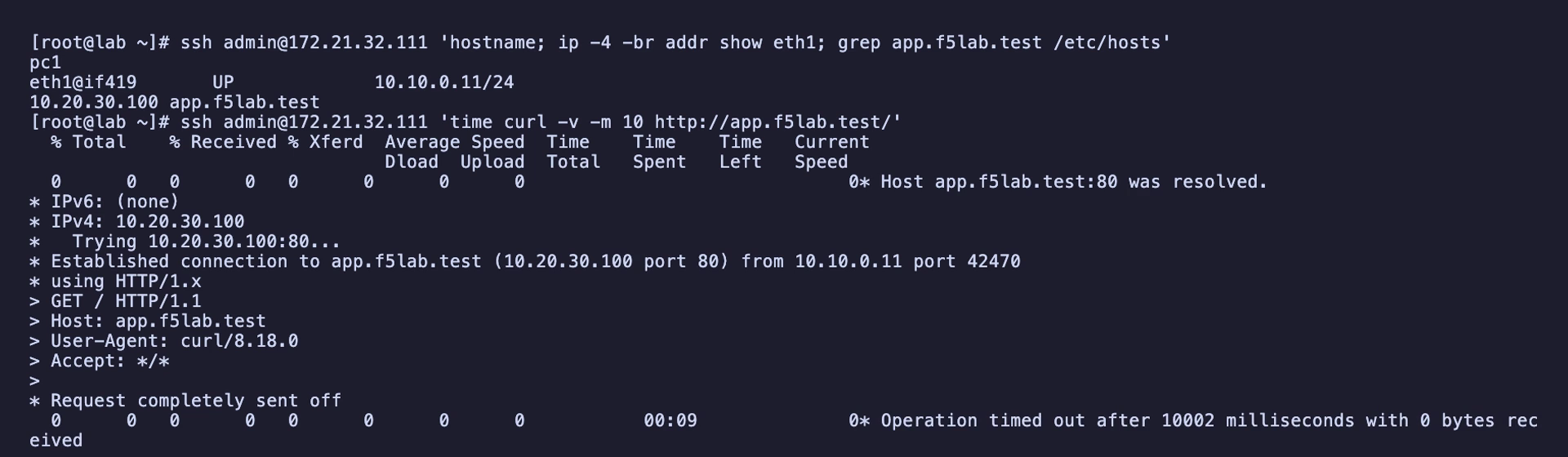
Nodes, a pool and a virtual server: the three basic objects of BIG-IP LTM. In this data centre the first virtual server hangs. The user's browser connects, sends the request, and waits. No error, no reset, just silence. This part builds the objects, watches the request die, proves exactly where on four different devices, and fixes it with one setting. It also shows when the same configuration does work: when the BIG-IP is the only path back.
What you'll see
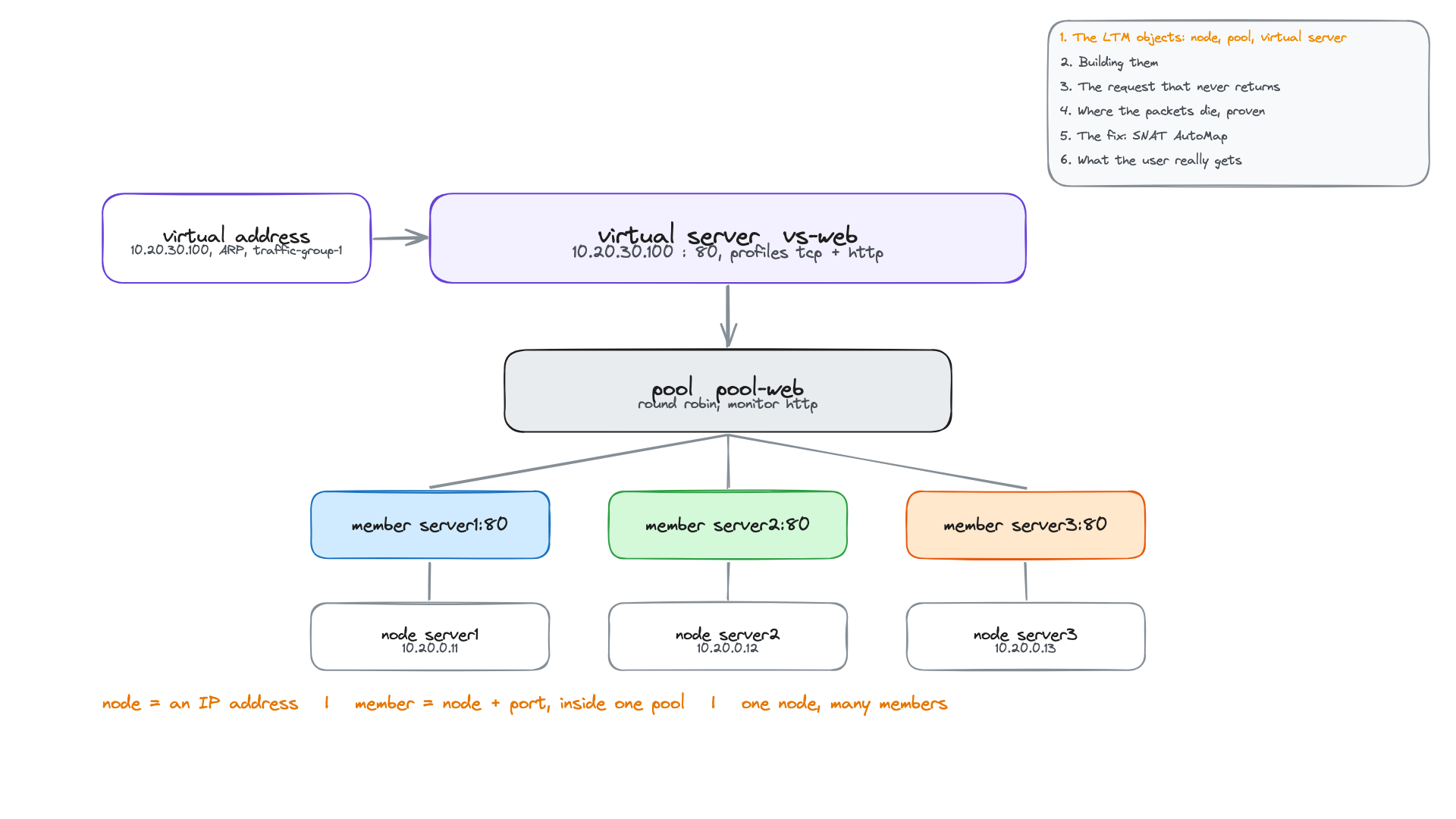
- The LTM objects: node, pool member, pool, virtual server and virtual address, and why nodes and members are separate.
- A Standard virtual server as a full proxy: two TCP connections, the BIG-IP in the middle.
- The failure, captured on the client, on the BIG-IP (both sides), on the servers and on the Palo Alto firewall.
- Why the firewall drops the reply before policy, so it never reaches the traffic log, and the counter that proves it.
- Three ways to fix asymmetric routing, SNAT AutoMap applied, and the fix to avoid.
- What users really get: round robin per TMM, and connections versus requests.
The objects
A node is an IP address: server1 is 10.20.0.11. A pool member is a node plus a port inside one pool: server1:80 in pool-web. Disable a node and every member built on it stops; disable a member and only that pool is affected. The pool adds a load-balancing method (round robin) and a health monitor (http). The virtual server vs-web is the address and port users talk to, 10.20.30.100:80, with tcp and http profiles and the pool behind it. Its virtual address answers ARP and lives in traffic-group-1, so it follows the active unit like the floating self IPs.