
On this page
This is part 2 of a series on learning F5 BIG-IP Local Traffic Manager on a real data-centre fabric running on SONiC switches. Each part goes with a video on the LevelUP I.T. YouTube channel. Part 1 built the lab: a SONiC spine-leaf fabric with EVPN and VXLAN, a Palo Alto firewall between two VRFs, and two blank BIG-IPs in the middle. Part 2 brings those BIG-IPs to life.
A BIG-IP fresh out of the box can't pass a single packet of user traffic. It needs a licence, and then it needs to be plugged into the network properly: VLANs, its own addresses, the addresses that move during a failover, rules for what those addresses accept, and a route out. In this part I do all of it on both units, in two different ways, and then I go to the switches to prove the network can actually see them.
What you'll see
- What a BIG-IP licence really is: a registration key, a dossier, activate.f5.com and a signed licence file, and why installing it restarts the services.
- lb-f5a licensed in the web UI, through the Setup Utility; lb-f5b licensed from the CLI with
SOAPLicenseClient. The key never appears on screen or in the shell history. - Licensed is not provisioned, and the licence line that breaks upgrades: the Service Check Date.
- One-arm vs two-arm, and why this lab is two-arm with the fabric, not the BIG-IP, as the servers' gateway.
- VLANs untagged on a SONiC access port, self IPs, floating self IPs, traffic groups, port lockdown and the default route.
- Proof from the switches: MAC and ARP on the service leaf, and EVPN type-2 routes carrying the BIG-IP to a leaf with no cable to it.
A licence is more than a key
The registration key is an entitlement: five groups of characters that say what you may run, at what throughput, until when. To bind it to one machine, the BIG-IP builds a dossier: the key combined with the unit's own identity, encrypted. The dossier goes to activate.f5.com over HTTPS from the management port, and a signed licence file comes back, stored at /config/bigip.license. You can read it, but you can't edit it: change one character and the whole file is rejected.
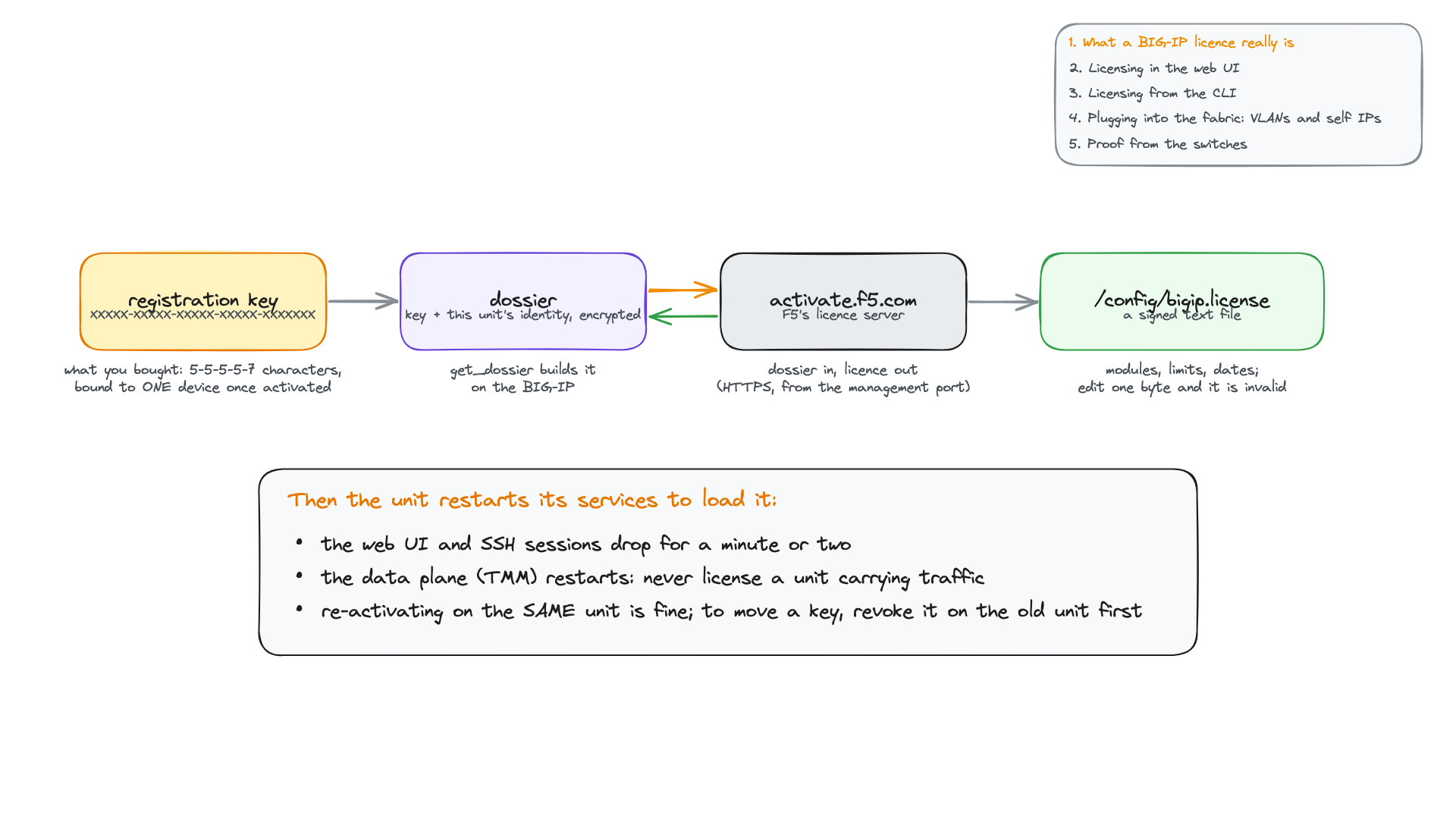
The step people learn the hard way: installing a licence restarts the services, the data plane included. Never license, or re-license, a unit that carries production traffic.