
On this page
Two replicas of a model, unique prompts, four requests at a time. Through the llm-d router's default profile the median request took 2.21 s and one replica sat idle in 47 of 59 busy moments; through a plain Kubernetes Service the same test took 1.65 s. This is part 4 of Inference-Aware Load Balancing for LLMs: the endpoint picker opened up, every score it computes logged, the cause of that herd found in its own log and source, and the profile changed on camera, with every configuration shown before its result. This post goes with a video on the LevelUP I.T. YouTube channel.
What you'll see
- The picker's pipeline and the default profile the chart installs.
- Debug logging on, and one decision read score by score.
- A concurrency test that shows a herd, measured from the replicas themselves.
- Why it herds, from three decisions within 12 ms.
- Two other profiles applied with helm, and every run of the day side by side.
The pipeline
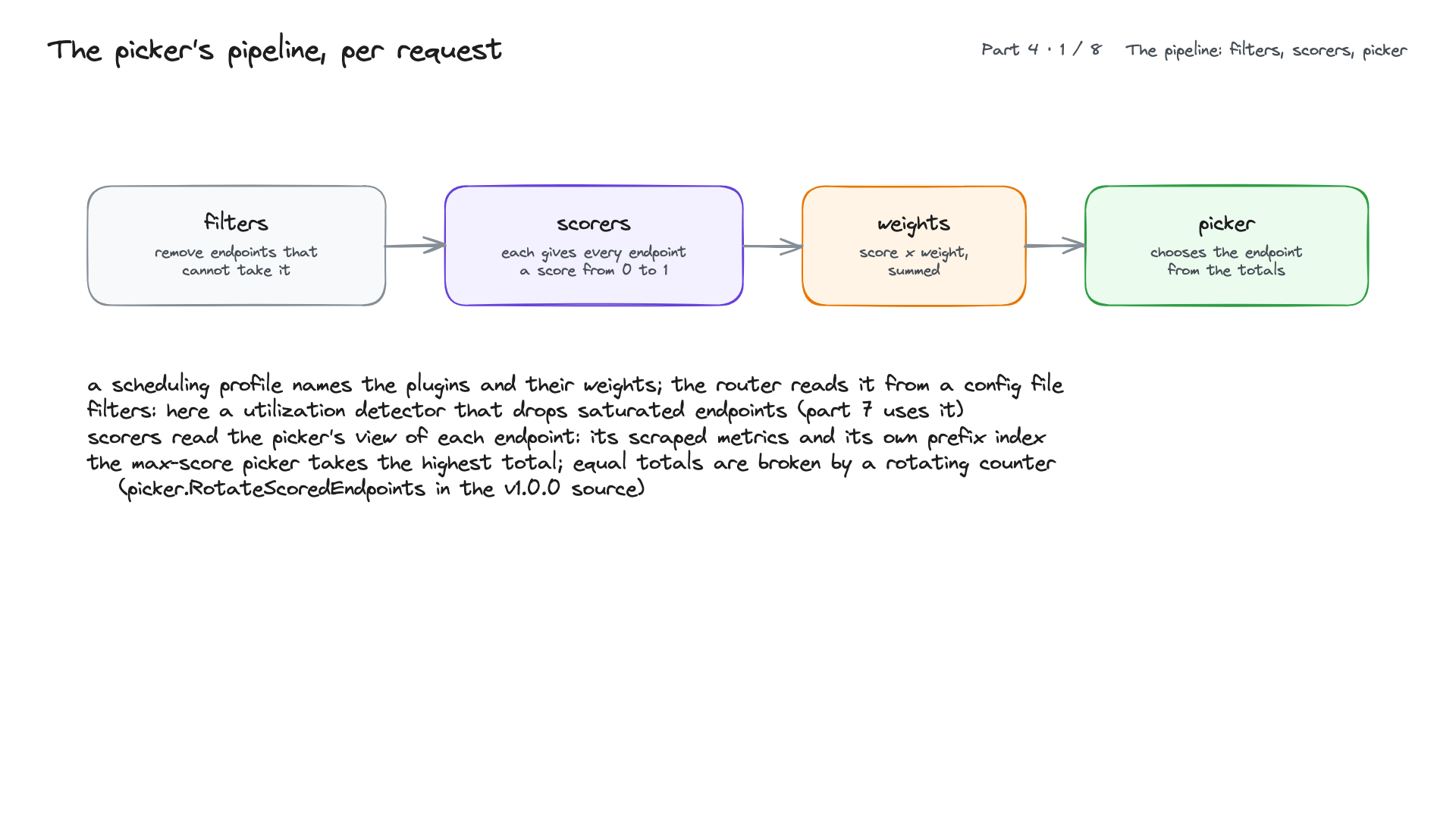
For every request the picker runs filters (remove endpoints that cannot take it), scorers (each gives every endpoint a score from 0 to 1), multiplies each score by its weight, sums them, and lets a picker choose from the totals. A scheduling profile names the plugins and weights; the router loads it from a config file. The scorers read the picker's view of each endpoint: its scraped /metrics, and the picker's own index of the prompt blocks each endpoint has served. The default max-score picker takes the highest total; equal totals are broken by a rotating counter (RotateScoredEndpoints in the router's v1.0.0 source).
The same ideas on a BIG-IP
Filters are like a pool member's availability and priority groups; load scorers like least connections, dynamic ratio, observed and predictive; affinity scorers like persistence; weights like ratio. The difference is the data: a BIG-IP counts connections and monitor results, the picker reads each model server's queue, KV cache and prefix blocks per request.
The plugin catalogue (router v1.0.0 source)
Pickers: max-score (default), weighted-random, random. Load scorers: queue, kv-cache-utilization, running-requests-size, active-request, token-load, load-aware, latency. Affinity scorers: prefix-cache, session-affinity, lora-affinity, header-label-affinity, topology-affinity, context-length-aware. Filters: utilization, label-selector, endpoint-attribute, prefix-cache-affinity, session-affinity, slo-headroom-tier, and the prefill/decode filters of part 8. The chart also ships a second profile in the same ConfigMap, payload-agnostic.yaml: a passthrough parser that never reads the body, the active-request scorer and session affinity, for request formats the router cannot parse; its load signal is the router's own in-flight count.
The default profile
kubectl -n llm get cm lfm12pool-epp -o jsonpath='{.data.default-plugins\.yaml}'
plugins:
- type: queue-scorer
- type: kv-cache-utilization-scorer
- type: prefix-cache-scorer
- type: metrics-data-source   (scheme http, path /metrics)
- type: core-metrics-extractor
schedulingProfiles:
- name: default
  plugins:
  - pluginRef: queue-scorer                weight: 2
  - pluginRef: kv-cache-utilization-scorer weight: 2
  - pluginRef: prefix-cache-scorer         weight: 3
Fewer requests waiting scores higher; more free KV cache scores higher (1 = empty); more of the prompt's blocks already on the endpoint scores higher. No picker is named, so max-score is used. The weights make cache affinity count a little more than load: a cached prefix saves a prefill, 9x on the first token in part 2.
One decision, logged
helm upgrade lfm12pool /stage/charts/llm-d-router-gateway-v1.0.0.tgz -n llm -f /k8s/inference/epp-values.yaml --set router.epp.flags.v=4 --wait
kubectl -n llm logs deploy/lfm12pool-epp --since=3m | python3 k8s/llm-tools/epplog.py 1
20:17:26.551  request c9476b72  ->  10.244.3.109:8000
    queue                 4wkj7: 1          l8d9s: 1
    kv-cache-utilization  4wkj7: 1          l8d9s: 1
    prefix-cache          4wkj7: 0          l8d9s: 0
epplog.py (in the lab repository) reads the router's JSON log at --v=4 and prints each scorer's score per endpoint and the endpoint chosen. On an idle pool every total is 4, a tie, and the rotating counter picks: the default profile behaves like round robin.