On this page
So you've got a few VMs sitting around and you want to stand up a real Kubernetes cluster — not Minikube, not Kind, not MicroK8s. A proper multi-node cluster with a dedicated control plane, worker nodes, and a modern CNI. This is that guide.
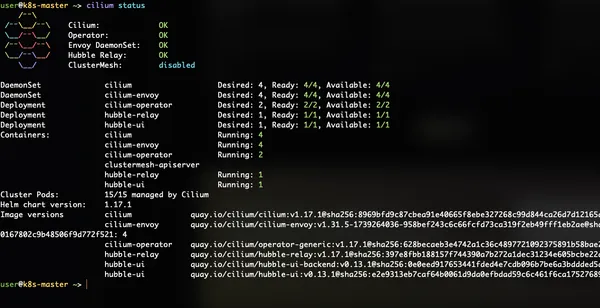
I recently built a 4-node cluster from scratch on Ubuntu 24.04 LTS VMs: 1 master, 3 workers — migrated the CNI from Flannel to Cilium, and wired up Hubble for real-time observability. Along the way I hit a handful of Ubuntu 24.04-specific gotchas that aren't well documented. I'm going to walk you through the whole thing, war stories included.
The Setup
| Node | IP | Role |
|---|---|---|
| k8s-master | 192.168.2.134 | Control plane |
| k8s-worker-1 | 192.168.2.135 | Worker |
| k8s-worker-2 | 192.168.2.136 | Worker |
| k8s-worker-3 | 192.168.2.137 | Worker |
All nodes: Ubuntu 24.04.4 LTS, ARM64 (aarch64), kernel 6.8.0, containerd 2.2.1, Kubernetes 1.31.14.
Phase 1: Common Setup (All Nodes)
Before anything Kubernetes-specific, every node needs the same baseline configuration. This is the stuff that has to be right or everything downstream breaks.
Disable Swap (Properly)
Kubernetes requires swap to be off. Ubuntu 24.04 uses zram-based swap by default, which swapoff -a alone won't permanently disable. You need all three:
swapoff -a
sed -i '/\bswap\b/s/^/#/' /etc/fstab
systemctl mask swap.target
The systemctl mask swap.target is the part most guides miss. Without it, swap comes back after a reboot on Ubuntu 24.04.
Kernel Modules (Persistent)
cat > /etc/modules-load.d/k8s.conf <<'EOF'
overlay
br_netfilter
EOF

modprobe overlay
modprobe br_netfilter
sysctl Networking
cat > /etc/sysctl.d/k8s.conf <<'EOF'
net.bridge.bridge-nf-call-iptables  = 1
net.bridge.bridge-nf-call-ip6tables = 1
net.ipv4.ip_forward                 = 1
EOF

sysctl --system